Posts

Python: Tracking any phone number

Image
 Did you know Python is capable of getting the location of any person just by knowing his/her phone number? In this exercise, we will see how this is possible. Once again, this tutorial is only for educational and entertainment purposes. The libraries geocoder , and carrier libraries from the  phonenumbers  library should be imported. These libraries will help with the purpose of this exercise. Let's start! import phonenumbers from phonenumbers import geocoder from phonenumbers import carrier #Introducing the phone number to be tracked number = '+51 XXXXXXXXX' phone_number = phonenumbers.parse(number) carrier = carrier.name_for_number(phone_number, 'es') region = geocoder.description_for_number(phone_number,'es') As seen from the pictures, Python can output the name of the region in any language. If you want, for example, in English, you write 'en' instead of 'es', or 'de' for German, or 'ru' for Russian. The output of the va...
Python: Drawing a heart

Image
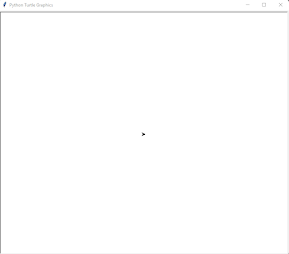
 In Python, there is a library called turtle. It is used for drawing pictures in a very nice way. In this exercise, this library will be used to draw a perfect heart with "I love you" inside. Let's see a brief explanation about the turtle library. from turtle import * getscreen() As you can see from the figure above, in Python turtle is the cursor shown in the middle of the screen. Its position is x = 0 and y = 0. Notice that the turtle is pointing to the right, meaning if we want it to move forward in the same direction, we need to write the function forward(). It is also possible to change the screen background color. #Choosing the background-color bgcolor('light blue') #Moving the turtle forward forward(100) As seen, the turtle has been moved 100 pixels in the same direction it was pointing initially (to the right). Now, if we want the turtle to point out in a different direction and move in that direction, we should write: #Turning the turtle to the left at...

Python: Creating a basic calculator

Image
  In this section, I will show you how to create a calculator with the fours math fundamental operations.  Please note that the numbers to be operated can be any. For example, the number 2 is a natural number, while Pi is an irrational number. As in mathematics, Python also classifies numbers according to their nature. The number 2 is of type integer in Python, while the number pi is of type float. #The user defines the first and second numbers num1 = float(input("Type your desired number:")) num2 = float(input("Type your desired number:")) Here, the function  input  allows the user to type the desired number. However, this number is not considered a number by Python. In other words, Python will take the introduced number as a string. For this reason, we should write the function  float , which allows Python to understand that the input entered by the user should be a real number. Once the numbers are defined, how can we make Python understand the type of operat...